Getting started with AI as an impact-driven organisation
Alexandre Talon
Inpactum editorial team
5 min read
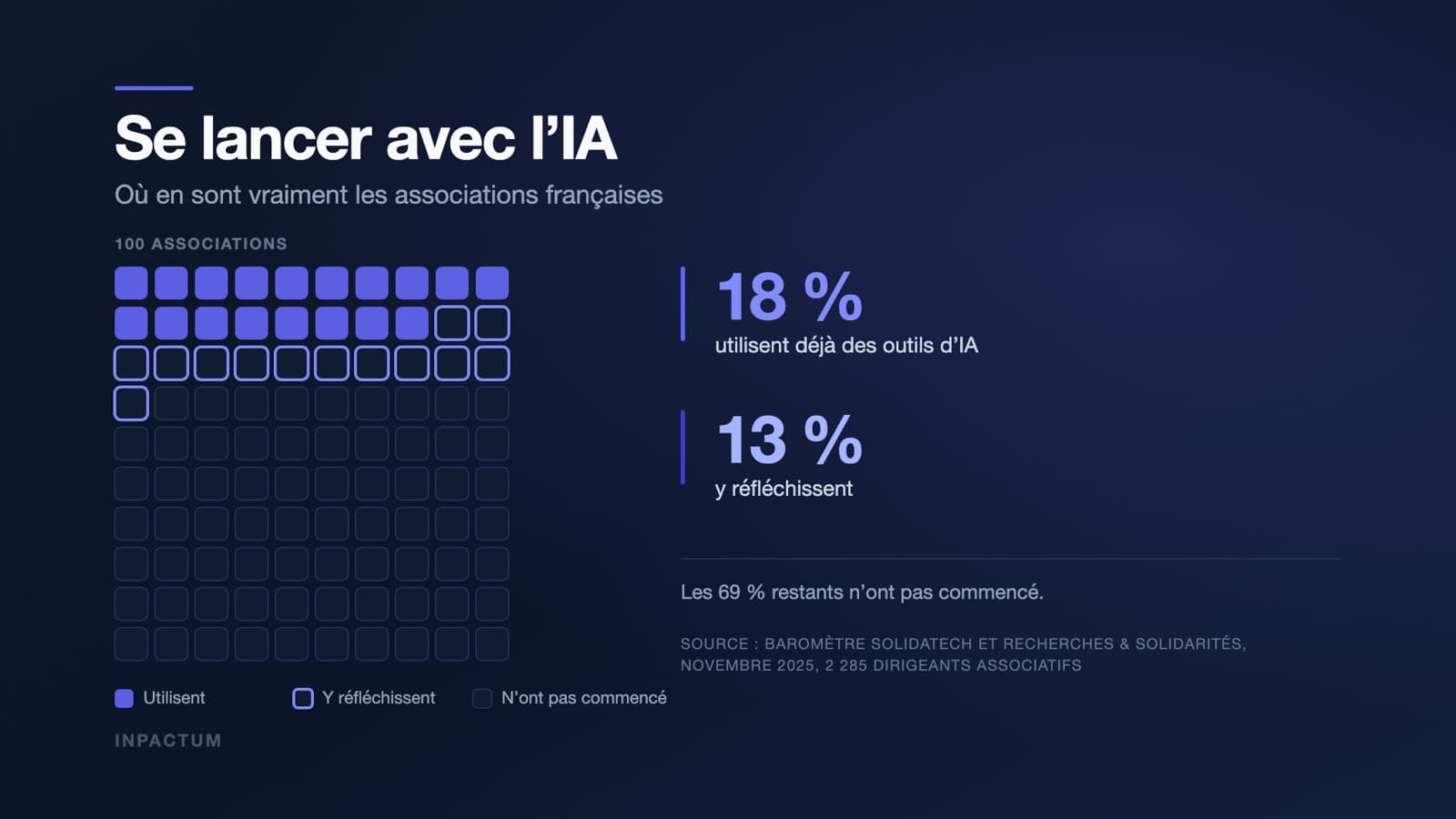
According to the fifth edition of the Solidatech and Recherches & Solidarités barometer, published in November 2025 based on a survey of 2,285 non-profit leaders, 18% of associations already use artificial intelligence tools and 13% are considering it. The two most common uses are optimising daily tasks, cited by 70% of users, and improving communication, cited by 59%.
This guide describes a way to get started that requires no dedicated budget, no technical skills, and no prior conviction on the subject. It is based on documented experiences from impact-driven organisations, particularly AssoConnect, which has the rare quality of having published its method and costs.
You’re not behind
This is the first thing to establish, because the pressure is real and it leads to poor decisions. AI adoption is still at the experimental stage, both in the non-profit sector and the commercial sector. No one is ten years ahead of you. The organisations that are doing best are not those that started first, but those that chose a narrow problem and addressed it seriously.
The risk in 2026 is not missing a wave. It’s spending time and money on a tool that no one will use in six months.
Step 1. Start with a pain point, not a tool
The starting question is not "What could we do with AI?" but "Which task takes a disproportionate amount of time compared to its value?"
Make a list with your team. In most organisations, the same answers come up: meeting minutes, responses to recurring emails, reformulating the same content for three different audiences, summarising long documents, funding applications where half the content is identical from one application to the next.
Pick one pain point to start with. Check that it meets three conditions: it occurs frequently, its result can be verified in seconds by a human, and a mistake has no serious consequences. Internal meeting minutes tick all three boxes. A response to a beneficiary in an emergency situation ticks none.
Step 2. Understand what a language model really does
A language model produces plausible text based on what you give it. It does not consult a database of truths, it does not know what it doesn’t know, and it will not warn you when it’s wrong. The practical consequence can be summed up in one sentence: it is very good at transforming information you provide, and much less reliable at producing information it should know.
This distinction is the best filter for choosing your first uses.
Transforming information you provide: summarising a meeting from its transcript, reformulating text for a different audience, translating, correcting, extracting action points from minutes, reformatting notes into a structured file. These uses work well.
Producing information from memory: quoting a legal text, providing a figure about your sector, describing a funding scheme, retrieving a date. These uses require systematic verification, and the verification time often cancels out the gain.
Step 3. The limited pilot: the AssoConnect method
AssoConnect, the non-profit management platform, documented its rollout in four stages. This is the most reproducible model we have found.
Get familiar. The team started with a subscription to a mainstream tool to understand what models can actually do, with no commitment or project.
Identify a suitable tool. They then chose Dust, which allows the creation of assistants connected to the organisation’s internal tools—Slack, Notion, and Google Drive in this case. This is the turning point: a model connected to your own documents becomes useful where a generalist model remains anecdotal.
Pilot with a small group. Eight volunteers, at €29 per user per month, to keep costs down during the test phase. Each had their own use case: one for video descriptions, another for database analysis.
Evaluate collectively. A simple validation system—thumbs up or down—discussed in a meeting every two weeks.
The most tangible result, a minutes-writing tool, now generates around a thousand documents per month. And the lesson the team highlights is worth more than any commercial promise: integrating AI is like onboarding a new colleague, with a period of training, supervision, and adjustment before you can trust them.
Two figures to remember from this method: eight people, not the whole organisation. Two weeks between check-ins, not six months.
Step 4. Write a request that produces a usable result
The quality of what you get depends directly on the precision of what you ask for. Four elements are enough in most cases.
The context. Who you are, who you’re writing for, and why. "I’m in charge of communications at a 15-employee food aid association, writing to individual donors."
The task, in one sentence. One at a time.
The expected format. Length, structure, tone. "Three hundred words, two paragraphs and a list, direct tone, no non-profit jargon."
The material. Paste your notes, document, or figures. This is what makes the difference between generic text and text that reflects you.
Three techniques are worth knowing beyond these basics. Providing two or three examples of what you expect before formulating the request significantly improves results for repetitive tasks. Asking the tool to proceed step by step before concluding yields better results for analytical tasks. Finally, iterating is better than starting over: correct what’s wrong in the response rather than rewriting your request from scratch.
The most common mistakes are the opposite: a vague request like "write something about our activities", a lack of context about your organisation, and accepting the first draft without review.
Step 5. Uses that stand the test of time
Tool categories have stabilised.
| Type | Common use | Examples |
|---|---|---|
| Text | Writing, correction, summarising, translation | ChatGPT, Claude, Gemini |
| Image | Illustration, communication visuals | Midjourney, DALL·E, Adobe Firefly |
| Audio | Transcribing meetings and interviews | Whisper |
| Code | Assisted development | GitHub Copilot, Claude Code |
In an impact-driven organisation, the uses that survive beyond the initial enthusiasm fall into three categories. Communication: writing newsletters, adapting the same message for different audiences, and translation. Administration: meeting minutes, activity report summaries, and responses to recurring emails. Fundraising: assisting with writing applications where part of the content repeats from one call for projects to the next.
If your need goes beyond writing assistance and involves building a tool, two other avenues are worth exploring before committing to development: no-code tools, and AI-assisted programming, which we describe in our article on vibe coding.
Step 6. Personal data: the framework to follow
In 2025, the CNIL published two sets of recommendations on applying the GDPR (General Data Protection Regulation) to artificial intelligence systems, including one adopted on 6 February 2025 specifically on informing data subjects and the exercise of their rights.
Three rules cover most non-profit situations.
Do not put personal data into a mainstream tool. Names, addresses, social status, health data, beneficiary contact details: none of this should be pasted into a public interface. Anonymise first, or use a solution that contractually guarantees the processing of your data.
Inform the data subjects. If a system you provide to your audiences relies on AI, this must be clearly stated in understandable language.
Keep human decision-making for anything that commits a person. Allocating aid, selecting a candidate, guiding a vulnerable person: the tool can prepare, but it does not decide.
An additional point of vigilance when working with minors, as the association Règles Élémentaires does with its menstrual education platform: health data and minors combine the two most stringent levels of protection under the regulation.
Step 7. Decide whether to keep, adjust, or stop
After six to eight weeks of piloting, make an explicit decision. Three questions are enough.
Is the time saved real and measurable? Compare it with what the task cost before, not with an impression.
Would the people using it continue if you stopped funding it? This is the best indicator of real use.
Does the result require more correction than production? If so, the tool is not suitable for this task, and you should either change the use case or change the tool.
Stopping after two months is not a failure; it’s what a properly conducted pilot should produce. The failure is paying for a three-year subscription that two people still open occasionally.
What not to do
Deploy to the entire team at once. Choose a tool before choosing a problem. Entrust an engaging decision to a model. Paste beneficiary data into a mainstream interface. And assume the matter is settled because a tool was purchased: without someone to champion the subject and train others, usage will drop off within weeks.
To see how seven impact-driven organisations have addressed these questions in very different contexts—from rural areas to education and inclusive recruitment—read our feature Seven impact-driven organisations already using AI.
Sources
- Solidatech and Recherches & Solidarités, La place du numérique dans le projet associatif en 2025, fifth edition, November 2025.
- AssoConnect, return on experience on its AI deployment, published by Share it as part of the AI for Good programme.
- CNIL, recommendations on applying the GDPR to the development of AI systems, 2025, including the deliberation of 6 February 2025.
- Numérique & Aidants programme, led by Share it and Latitudes with support from AG2R La Mondiale and Malakoff Humanis, and work by Advens for People and Planet with the Devoteam Foundation.
Topics
- Intelligence artificielle
Read next
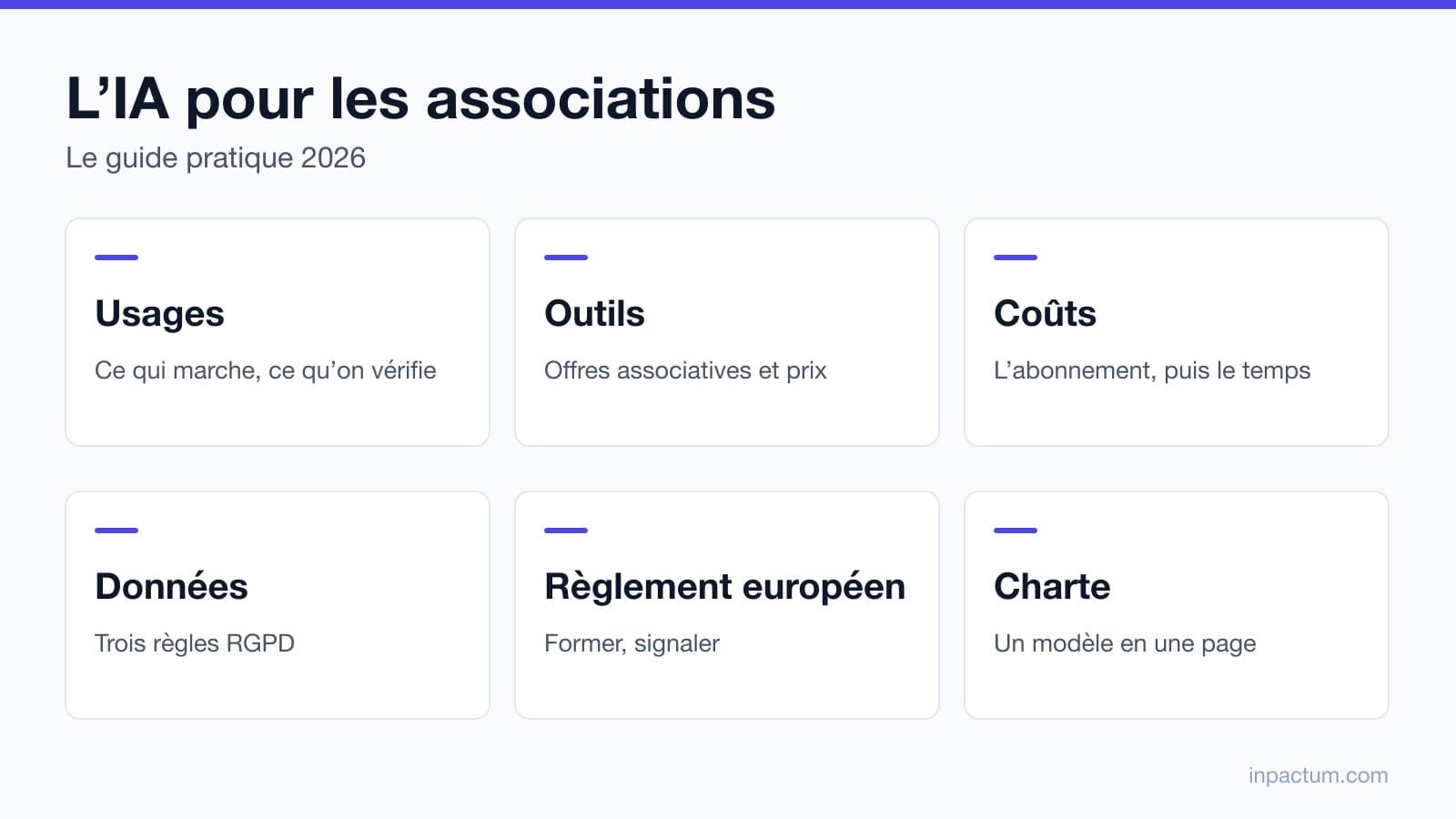
AI for non-profits: the practical guide for 2026
Uses, tools and non-profit pricing, personal data, the EU AI Act, a usage policy and support: what a non-profit needs to know to use AI in 2026.
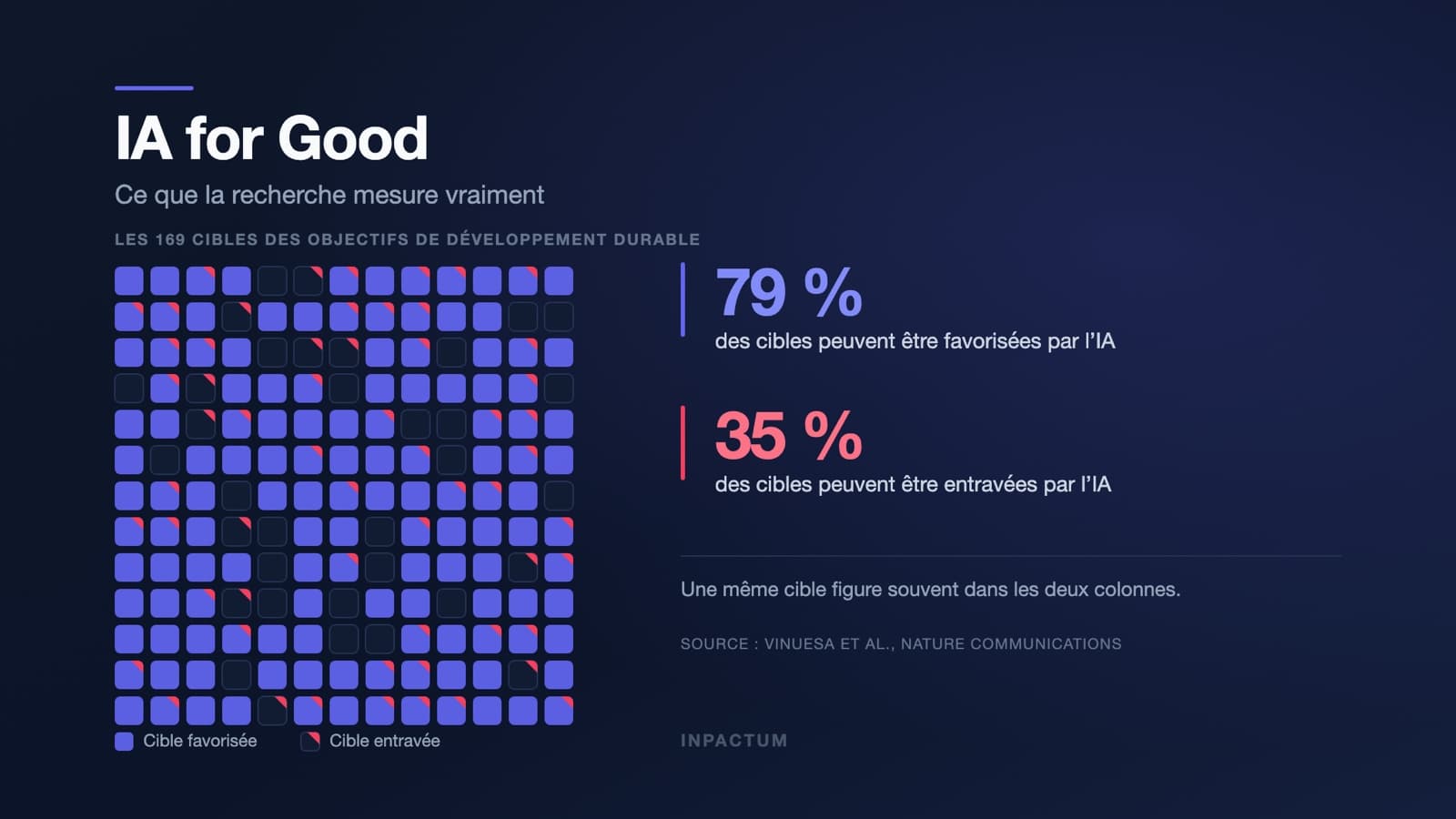
AI for Good: what the term really covers
AI for Good: where the term comes from, what research measures (79% of SDG targets advanced, 35% hindered) and 4 questions to assess a project.
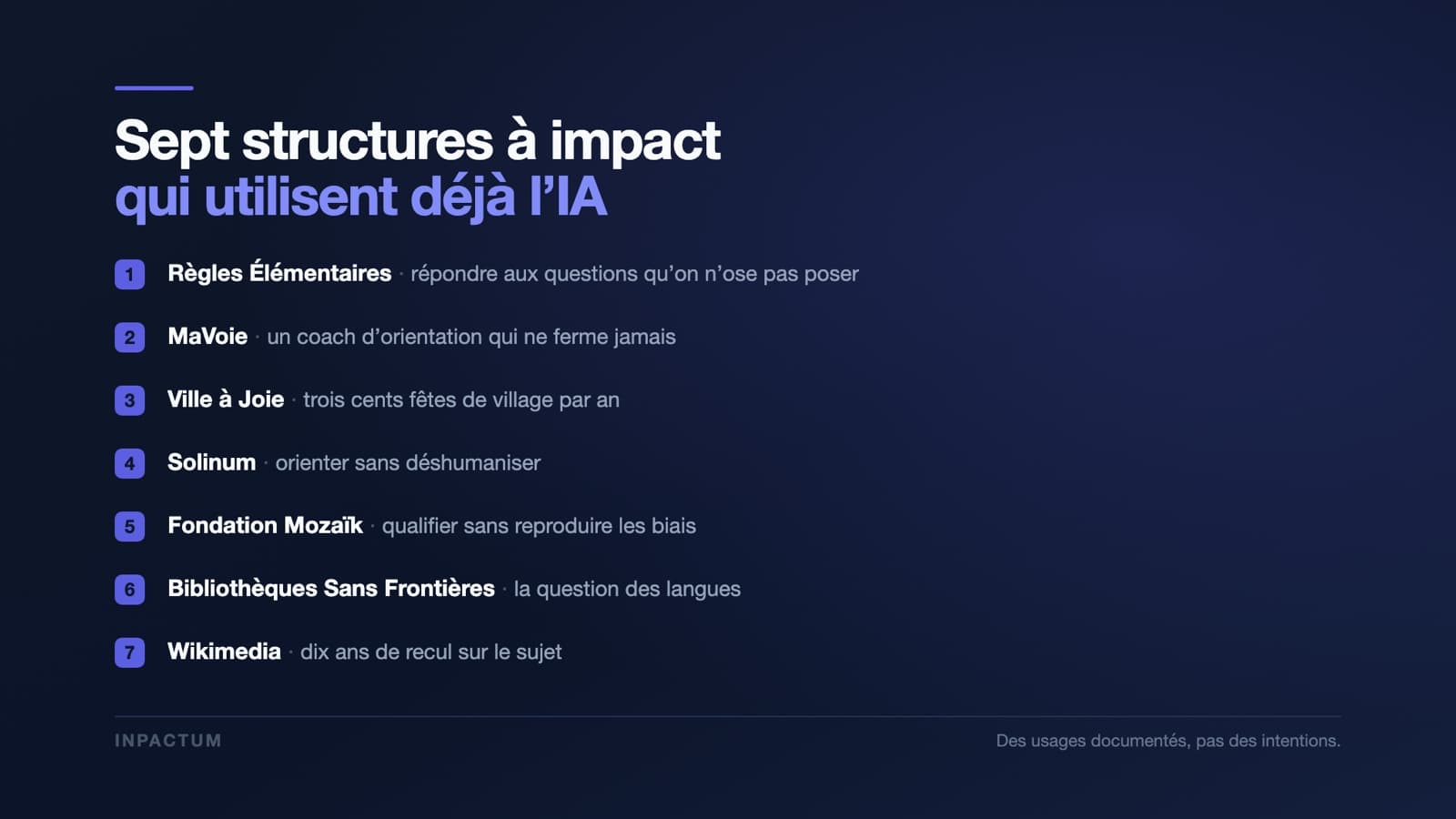
Seven impact-driven organisations already using AI
Règles Élémentaires, MaVoie, Solinum, Mozaïk, BSF, Wikimedia: seven documented uses of AI in impact-driven organisations, and what they teach.